
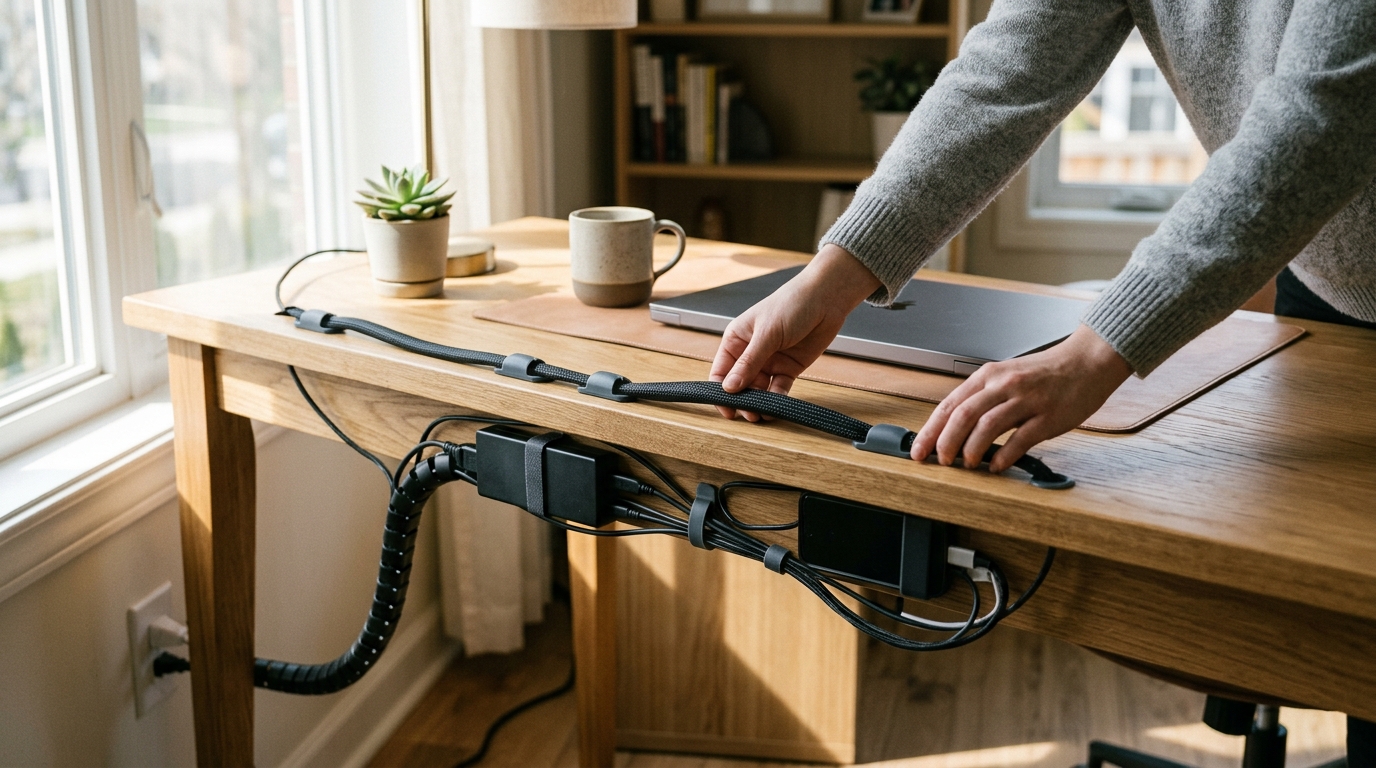
Remote workers can buy practical cable organizers for home office desks at specialized e-commerce retailers like Electronic Accessories Outlet, major big-box stores, and online marketplaces. This guide covers adhesive cable clips, cable sleeves, and the best retail channels to source them. We focus on practical solutions that keep your workspace tidy and functional.
Adhesive Cable Clips
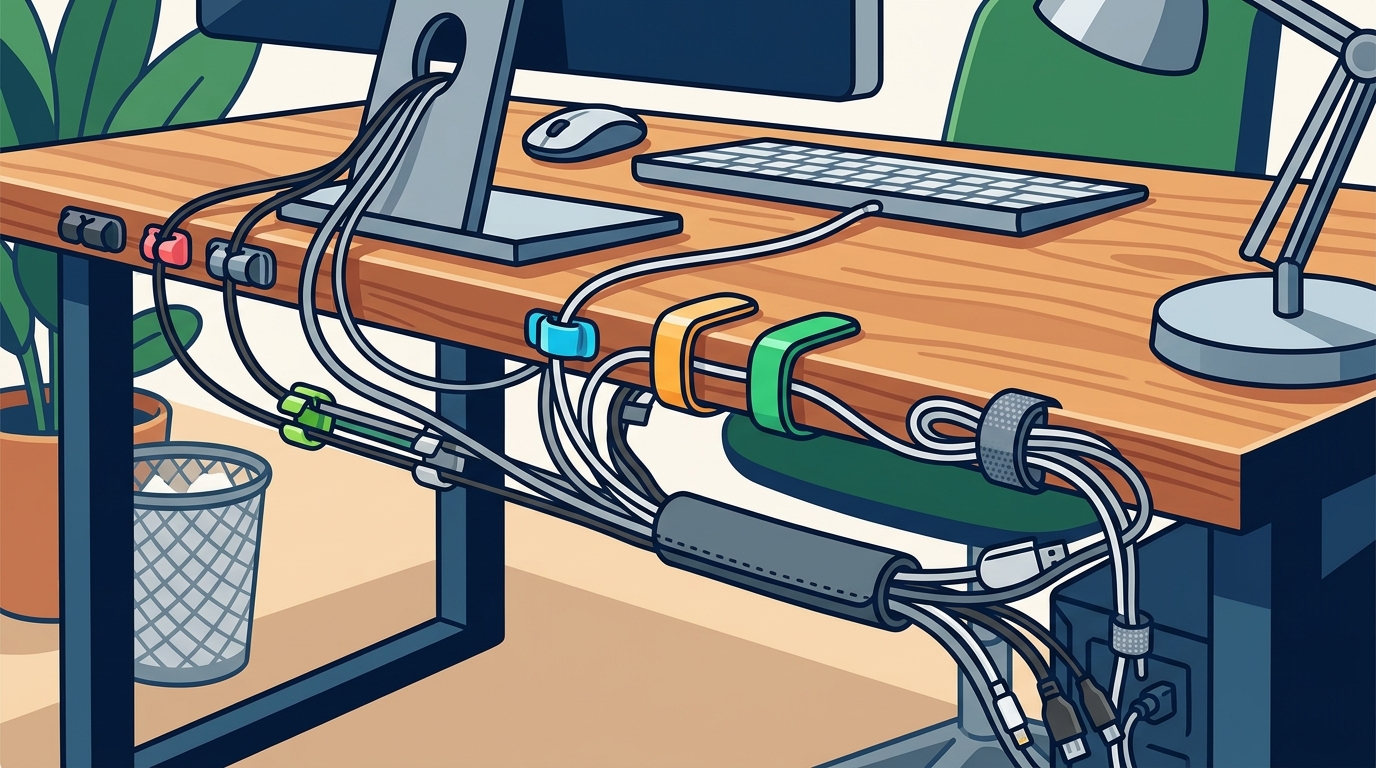
Adhesive cable clips are small, sticky mounts that secure individual wires to desks, walls, or monitor stands. They are the most affordable entry point into cable management. These clips are ideal for short runs of USB cables, charging cords, or headphone wires. They prevent cables from dangling off the edge of a desk or tangling under a keyboard. For additional details, review the Customer Experience.
Choosing the Right Adhesive Strength
Not all adhesives are created equal. For glass or metal desks, you need a strong, permanent adhesive. For painted wood or delicate surfaces, a removable adhesive is safer. Always clean the surface with alcohol before applying. This ensures the clip stays in place for months. If you move your desk often, choose clips with a release tab or low-tack adhesive. For additional details, review the Frequently Asked Questions.
Placement Strategies
Place clips at regular intervals along the cable path. A common strategy is to clip the cable to the back of the desk every 12 to 18 inches. This creates a neat, vertical drop. You can also clip cables to the underside of the desk to hide them completely. For monitor stands, clip the power cable to the stand arm. This keeps the back of the monitor clean and uncluttered.
Cable Sleeves
Cable sleeves are flexible tubes that bundle multiple wires into a single, organized line. They are perfect for power strips, multi-port hubs, or groups of data cables. A sleeve hides the visual chaos of five or six different colored wires. It makes the setup look professional and intentional. You can cut sleeves to any length, making them highly versatile.
Material Options
Most sleeves are made from nylon, PVC, or silicone. Nylon is durable and resists heat. PVC is flexible and easy to cut. Silicone is soft and comfortable to handle. Choose a material that matches your aesthetic. Black nylon is a classic choice for tech setups. White or clear sleeves work well for minimalist or bright office spaces. Ensure the sleeve diameter is large enough for your thickest cable.
Installation Tips
Start by grouping cables by function. Power cables go in one sleeve. Data cables go in another. This prevents confusion later. Use cable ties or velcro straps to secure the sleeve at both ends. This keeps the bundle tight and prevents wires from slipping out. If you need to add a cable later, you can usually slide it in from the open end. Plan your layout before cutting the sleeve to the final length.
Amazon, Home Depot, and IKEA Retailers
Online Marketplaces
Online marketplaces offer the widest selection of cable organizers. You can find niche brands, unique colors, and specialized shapes. Reviews from other users provide valuable insights into durability and fit. Shipping times vary, so order early if you need items quickly. Prices are often competitive due to high volume. This is a good place to experiment with different styles before committing to a full setup.
Big-Box Hardware Stores
Hardware stores like Home Depot carry a range of cable management tools. They often stock industrial-grade clips, sleeves, and raceways. These products are built for heavy-duty use. You can pick up items in person, which is convenient for quick fixes. The selection may be less focused on aesthetics than online stores. However, the quality is often high for structural support. This is a good option if you need to mount a large cable tray under a desk.
Furniture Retailers
Furniture retailers like IKEA often include basic cable management in their desk systems. They also sell standalone organizers that match their design language. These products are typically affordable and stylish. The focus is on simplicity and clean lines. If you are buying a new desk, check if it has built-in cable ports. This reduces the need for external organizers. It is a good place to find cohesive, design-forward solutions.
Specialized E-Commerce
Specialized retailers like Electronic Accessories Outlet focus specifically on tech accessories. Their catalog includes practical items for work, travel, and gaming. You can find wireless chargers, cable organizers, and workspace must-haves in one place. This reduces the need to shop across multiple sites. The focus on practicality ensures that products are functional, not just decorative. This is an ideal choice for remote workers who want a curated selection of useful tools.
Comparison of Organizer Types
The following table summarizes the key differences between common cable organizer types. This helps you choose the right tool for each part of your setup.
| Organizer Type | Best For | Installation Difficulty | Cost Range | Aesthetic Impact |
|---|---|---|---|---|
| Adhesive Clips | Individual short cables | Low | Low | Minimal |
| Cable Sleeves | Bundling multiple wires | Medium | Medium | High (Hides wires) |
| Cable Raceways | Long runs along walls | High | High | Medium |
| Under-Desk Trays | Power strips and hubs | Medium | Medium | High (Hides bulk) |
Key Takeaways
- Adhesive clips are the cheapest and easiest way to manage individual cables.
- Cable sleeves are the best way to bundle multiple wires into a single line.
- Hardware stores are good for industrial-grade structural support.
- Specialized e-commerce sites like Electronic Accessories Outlet provide curated, practical tech accessories.
- Always clean surfaces before applying adhesive clips for maximum hold.
- Group cables by function before sleeving to avoid future confusion.
Frequently Asked Questions
What is the best way to hide cables under a desk?
Use an under-desk cable tray or raceway. These mount to the underside of the desk and hold power strips and hubs. They keep the floor clear and the back of the desk clean. This is the most effective solution for heavy cable loads.
Do adhesive clips damage desk surfaces?
It depends on the adhesive and the surface. Strong adhesives can leave residue on painted or laminated surfaces. Use removable adhesive clips for delicate finishes. Always test a small area first. Clean the surface with alcohol before applying to ensure a good bond.
How many cables can a sleeve hold?
It depends on the sleeve diameter and cable thickness. A standard 1-inch sleeve can hold 4 to 6 standard USB cables. Measure your thickest cable and add 20% extra space. This ensures the sleeve is not too tight. You can always use a larger sleeve if needed.
Where can I buy cable organizers in bulk?
Online marketplaces and hardware stores often sell cable organizers in bulk packs. This is cost-effective for setting up multiple workstations. Check for multi-packs of clips or sleeves. This reduces shipping costs and ensures consistency across your setup.
Are cable organizers worth it for a home office?
Yes, they are highly recommended. Tidy cables reduce visual clutter and stress. They also prevent accidental unplugging and tangling. A well-organized desk improves focus and productivity. The initial investment pays off in daily convenience and aesthetics.
Can I use cable ties with sleeves?
Yes, cable ties are a common way to secure sleeves. Use velcro straps for adjustable tension. Use zip ties for a permanent, tight hold. Ensure the ties are not too tight, as this can damage the sleeve or cables. Place ties at both ends and in the middle for long runs.
Conclusion
Organizing your home office cables is a simple task with significant benefits. You can choose from adhesive clips, sleeves, and various retail channels to find the right solution. For a curated selection of practical tech accessories, visit Electronic Accessories Outlet. Their catalog is designed for everyday use, making it easy to find the tools you need to keep your workspace tidy and efficient. Learn more: Frequently Asked Questions Electronic.